


Beats Studio Pro
Beats Studio Pro
Note: Only 9 units left in stock
Couldn't load pickup availability
Why Our Prices Stay Fair
Why Our Prices Stay Fair
At Nexobuds, we don’t inflate prices or use tricks.
We can offer up to 50% offbecause:
• Our products come from display stock, excess inventory, or units with minor cosmetic imperfections that don’t affect performance.
• Our supplier agreements allow us to acquire these lots at reduced prices.
• We cut out unnecessary middlemen and sell directly from our warehouse in (country we sell).
This means you get the same premium product—new, tested, and guaranteed—but at a much lower price than in stores. Limited stock: once it’s gone, it’s gone.


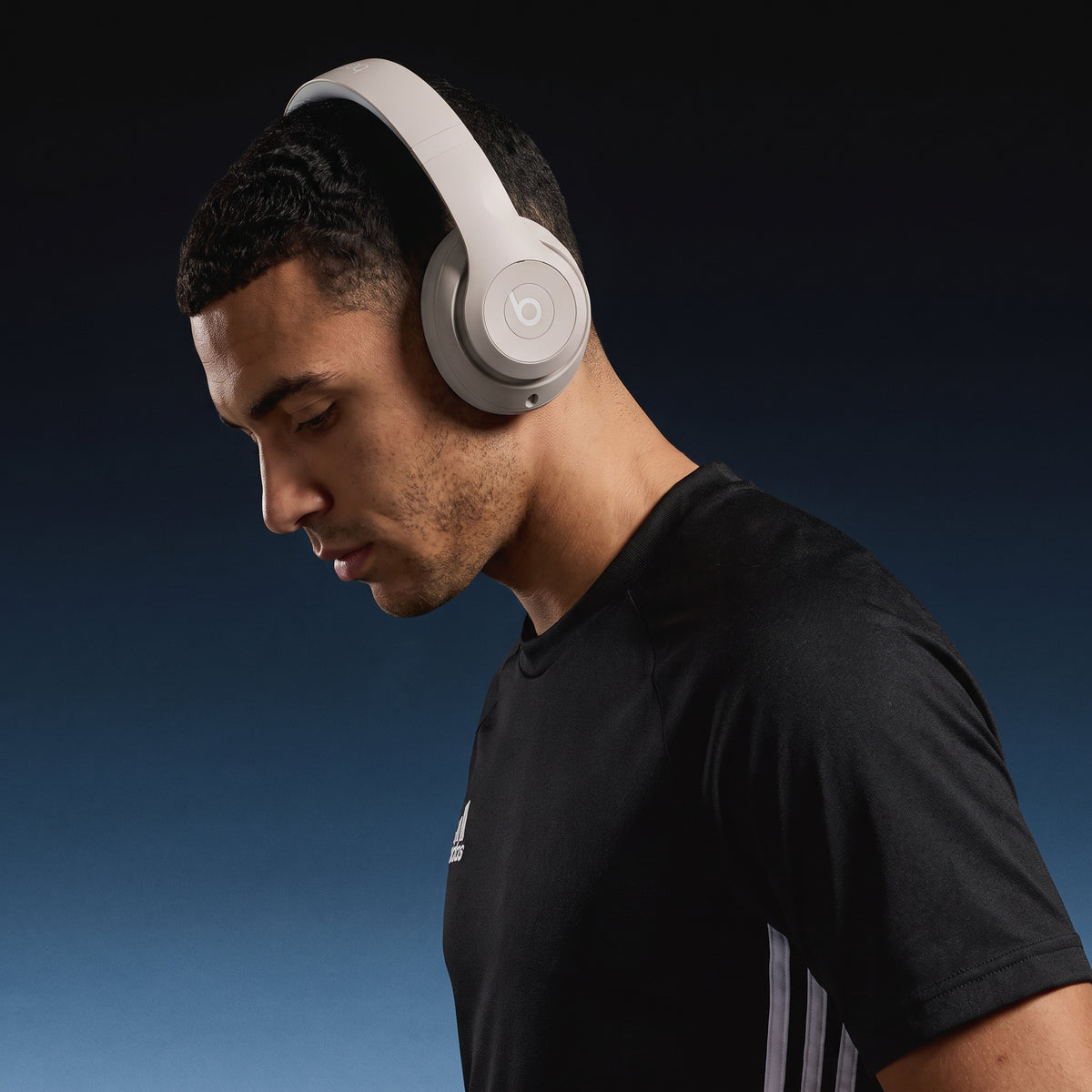

Product Details
What's in the Box?
Technical Specifications

Beats Studio Pro – Premium Wireless Noise Cancelling Headphones
-
Active Noise Cancelling
-
Transparency Mode
-
Up to 40 Hours of Listening Time
-
Personalized Spatial Audio

Iconic Sound
Active Noise Cancelling
Featuring a fully custom acoustic platform. Personalized spatial audio with dynamic head tracking. Fully adaptive Active Noise Cancelling. Transparency mode. Lossless audio. Up to 40 hours of battery life and enhanced Apple and Android compatibility.
Transparency Mode
Transparency mode lets the sounds of your environment mix seamlessly with your music when you want to stay present and aware.
Up to 40 Hours of Listening Time
With up to 40 hours of battery life, it keeps you immersed in your music longer.
When you’re low on power, a quick 10-minute Fast Fuel charge provides up to 4 hours of playback.
Personalized Spatial Audio
Delivers surround sound you can take anywhere. With dynamic head tracking, advanced built-in sensors create an interactive experience, so you can get lost in theater-like sound from your favorite content.
It’s like being surrounded by 64 speakers at once.
Lossless Audio
Has a built in Digital-to-Analog Converter (DAC) that delivers lossless audio via USB-C.
Wireless & Wired Connectivity
Offers multiple ways to connect with your devices:
- Class 1 Bluetooth® with extended range and fewer dropouts
- 3.5mm analog input for wired audio sources and in-flight entertainment
- USB-C for lossless audio and three distinct built-in sound profiles
Active Noise Cancellation (ANC)
Fully adaptive Active Noise Cancellation (ANC) continuously monitors the noise around you and creates a precisely tuned filter to cancel it out 48,000 times per second.

Crystal Clear Calls
Upgraded voice-targeting microphones give you high-quality call performance.
These powerful microphones actively filter out background noise to enhance the clarity of your voice, up to 27% more than Beats Studio3 Wireless.

In the Box
- Headphones
- Carrying case
- USB-C to USB-C cable for charging and audio
- 3.5mm analog audio cable
- Quick Start Guide
- Warranty card
(USB-C power adapter sold separately)
FAQs
How do I pair with my iPhone?
The first time you power on Beats Studio Pro, pairing mode is automatically enabled. On iPhone running the latest iOS, simply hold the headphones near an unlocked phone, and follow on-screen instructions. Or, go to the Bluetooth menu and select “Beats Studio Pro”.
How do I pair with my Mac?
If you have previously paired with an iPhone and the Mac is connected to the same iCloud account, your Beats Studio Pro will automatically pair with your Mac. Simply, select your headphones as the sound output in the Control Center or Apple menu > System Settings > Sound. If the Mac is not connected to your iCloud account, make sure that you turned on Bluetooth on your Mac. Hold your Beats Studio Pro next to your Mac. Press and hold the System button on the right ear cup until the Fuel Gauge LEDs start to flash. Open the Bluetooth menu on your Mac, and choose “Beats Studio Pro”.
How do I pair with my Android device?
The first time you power on Beats Studio Pro, pairing mode is automatically enabled. To pair using Google Fast Pair, an on-screen, one-touch pairing prompt will appear on your Android device. For older Android devices, or to pair manually, use the Beats app or pair in the Bluetooth menu by selecting “Beats Studio Pro”. To download the Beats app, visit the Google Play store or download directly from beatsbydre.com.
How do I initiate pairing mode again to pair with other devices?
If you need to initiate pairing mode again, hold down the System button on the right ear cup until the Fuel Gauge LEDs begin to flash. Beats Studio Pro is now ready to pair.
How do I charge them?
To charge your Beats Studio Pro, connect the headphones to a power source using the included USB-C cable. (Note: USB-C power adapter sold separately). The Fuel Gauge LEDs will illuminate while the headphone is charging.
How do I check the battery life?
To check the battery life, simply press the System button on the right ear cup once. The Fuel Gauge LEDs will display the level of charge remaining.
How long does the battery last?
Beats Studio Pro can provide up to 40 hours of listening time with ANC or Transparency turned off, or up to 24 hours of listening time with ANC turned on.
How do I change modes from ANC to Transparency?
To toggle between listening modes, simply press the system button twice. Beats Studio Pro will rotate between ANC and Transparency.
How do I turn them on and off?
Turn on Beats Studio Pro by holding down the System button until the Fuel Gauge LEDs illuminate. To turn the headphones off, hold down the same System button until the Fuel Gauge LEDs shut off.
How do I activate Siri?
On Apple devices, you can activate Siri hands-free just by saying “Hey Siri”. Or, hold down the ‘b’ button and wait for the chime.
How do I activate other voice assistants?
Hold down the ‘b’ button to activate whichever voice assistant is enabled on your device.
Can I use with a wired connection?
Use the included 3.5mm cable to connect Beats Studio Pro to a standard audio source. Beats Studio Pro also offers USB-C audio, so you can stream audio or take phone calls by connecting the headphone to a compatible source using the included USB-C cable.
Does it have a microphone?
Beats Studio Pro has six total microphones, enabling high-quality call performance as well as ANC and Transparency performance. Four microphones are dedicated to ANC and Transparency mode processing, and two beam-forming microphones are positioned out the outside of the ear cups to target your voice when on phone calls, video conferencing, or while using your voice assistant.
Does Beats Studio Pro have Spatial Audio?
When paired with Apple devices, Beats Studio Pro will automatically play back tracks available in Dolby Atmos from Apple Music. Head-tracking is only available when paired with Apple devices, and must be enabled/disabled from the device. Spatial Audio personalization requires an iPhone X or later with TrueDepth camera. Beats Studio Pro can also play back tracks available in Dolby Atmos when using Apple Music on an Android device.
How do I use USB-C and EQ-optimized sound modes?
When Beats Studio Pro is connected to a compatible source device via USB-C, it will appear as a standard USB audio device – enabling you to stream audio or take phone calls while simultaneously charging the headphone. While using USB-C audio, press the system button twice to switch between three EQ-optimized sound profiles: Beats Signature, Entertainment, and Conversation. The Fuel Gauge LEDs will illuminate one, two, or three segments correlating to each respective sound profile.
What our customers say about us
-
Emily R. OCT 2026Verified BuyerExactly what I was looking forThe sound is super clear and they’re really comfortable, even after wearing them for a few hours. I use them every day for work and music. Really happy with them.
-
Jason M. oct 2026Verified BuyerGreat sound and comfortable fitI’ve tried a few different headphones and these are easily my favorite. Good bass without being too much, and they feel great around the ears.
-
Samantha L. sep 2026Verified BuyerPerfect for travelingBought these mainly for flights and they’ve been great. Comfortable, easy to pack and the noise cancellation makes a huge difference when traveling.
-
Daniel C. sep 2022Verified BuyerWorh itI was debating getting these for a while and finally went for it. The audio quality is excellent and they feel much more premium than my old headphones.
-
Ashley T. sep 2026Verified BuyerLove them!They look even better in person. I got the beige color and absolutely love it. The battery lasts forever and pairing with my phone was really easy.
-
Michael B. sep 2026Verified BuyerMy new everyday headphonesI use them at the gym, at home and while working. Connection has been reliable and the sound is really good. Definitely becoming my everyday pair.
-
Lauren P. sep 2026Verified BuyerReally good headphonesSound quality is great and they’re very comfortable. They felt a little tight when I first put them on, but after a few uses they were totally fine.
-
Chris A. sep 2026Verified BuyerNoise cancellation is impressiveI work in a pretty noisy environment and these help a lot when I need to focus. Music sounds crisp and calls have been clear too.
-
Nicole S. aug 2026Verified BuyerSo comfortableI was worried about wearing over-ear headphones for long periods but these are surprisingly comfortable. I can wear them through most of my workday without an issue.
-
Ryan K. aug 2026Verified BuyerGreat for workouts and commutingBeen using them almost every day for a few weeks. Battery life is great, they connect quickly and the sound has plenty of bass. Very happy with the purchase.
-
Jessica H. aug 2026Verified BuyerBetter than I expectedI mostly bought them because I liked the design, but the sound ended up impressing me the most. Everything from podcasts to music sounds really clean. Would definitely recommend them.